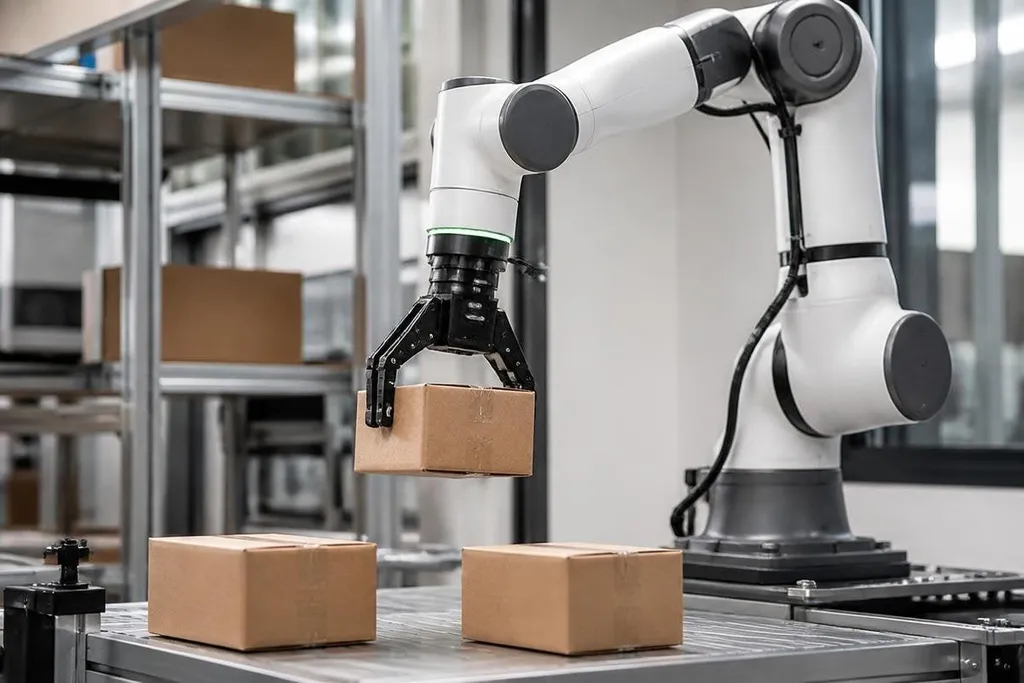
A camera can show a robot where an object is. A tactile sensor tells the robot what happens when its hand touches that object. That extra signal helps a robot pick, place, hold, and check items when vision alone leaves too much unknown.
Quick read
- Tactile sensors measure contact, pressure, force, vibration, or temperature at the robot’s hand or body.
- They help a robot adjust its grip when an object slips, shifts, or feels different from the model.
- The hard part is keeping the sensor accurate after repeated contact, dirt, heat, and wear.
Vision stops at the surface
A camera gives a robot an image. From that image, software can estimate an object’s shape, position, and color. It may also find the edge of a box or the handle of a tool.
Contact changes the problem. The robot may see a cup, but the image does not tell it how much force the gripper needs. Too little force lets the cup slide. Too much force can crack it or leave marks.
Tactile sensing adds information at the point of contact. A sensor can measure pressure across a surface, force at a joint, or small vibrations as two materials touch. The robot can use those signals to adjust its movement while the task is still happening.
That matters when objects vary. A sealed package may weigh more than an empty one, and a soft item may change shape under the same grip. With contact feedback, the robot can react to those changes instead of following one fixed motion.
What the sensors measure
The word “tactile” covers several types of hardware. Some sensors sit under a gripper pad and measure force in one direction. Others use a grid of sensing points, so the robot can see where pressure is spread across its fingers.
Force-torque sensors measure load along several axes near the wrist. They can show that a tool is pressing sideways, twisting, or pushing harder than planned. That information helps a robot keep a tool in contact with a surface without pressing too hard.
Some tactile systems also read vibration. A change in vibration can tell the robot that a part has started to slip, even before the camera sees a large movement. Temperature sensing can add another signal for tasks that involve hot or cold objects.
The sensor does not make the decision on its own. Robot software reads the signal, compares it with a target range, and sends a new command to the motors. A small change in grip force may be enough to keep the object steady.
Why this matters on a production line
Tactile feedback is useful in tasks where the robot must handle contact rather than avoid it. That includes fitting parts together, inserting plugs, closing lids, polishing surfaces, and sorting items with varied shapes.
It can also help with inspection. During assembly, the robot may press a part and check how it responds, or feel for a gap. The result is a physical measurement that a camera cannot get from one view.
A force reading earns its place when it changes a task, such as stopping a press before a part cracks. Robot24 reports on the machines, companies, and research behind robotics claims, giving you a place to check where tactile sensing has been tested before you weigh its limits. I'd treat any sensor claim as unfinished until its readings hold up under repeated loading.
The limits are just as practical. A sensor may lose accuracy after repeated loading, and soft covers can change how force reaches the sensing layer. Dust, moisture, heat, wiring, and calibration can affect the readings.
If reliable contact requires a clean lab, that robot may not fit a factory cell. The choice depends on the task and the cell’s working conditions.
I’d treat tactile sensing as a task-specific requirement, not a feature to add by default. If the robot handles fixed parts with clear edges, vision and position feedback may be enough. If it grips soft goods or fits parts by touch, contact data can decide if the cell works.
A buying checklist
Before choosing a tactile system, check these points against the task:
- Contact type: Decide if the robot needs pressure maps, wrist force, slip signals, temperature, or a mix.
- Sensor position: Check the fingertip, gripper, wrist, or robot body location where contact starts.
- Load range: Match the sensor’s force range to the lightest and heaviest expected objects.
- Surface cover: Ask how rubber, fabric, or a protective layer changes the reading.
- Cleaning plan: Confirm the sensor can handle the cell’s dust, liquid, heat, and washdown needs.
- Software access: Make sure the robot controller can read the signal fast enough to change motion.
A good test uses the real gripper, the real parts, and the real contact speed. Run it through normal variation, then check readings after repeated cycles. A sensor that works once in a demonstration still needs stable output at the end of a shift.
Tactile sensors matter because touch gives a robot information after vision has done its part. The next question for any deployment is specific: can that contact signal reduce failed picks, damaged parts, or manual checks enough to pay for the added hardware?